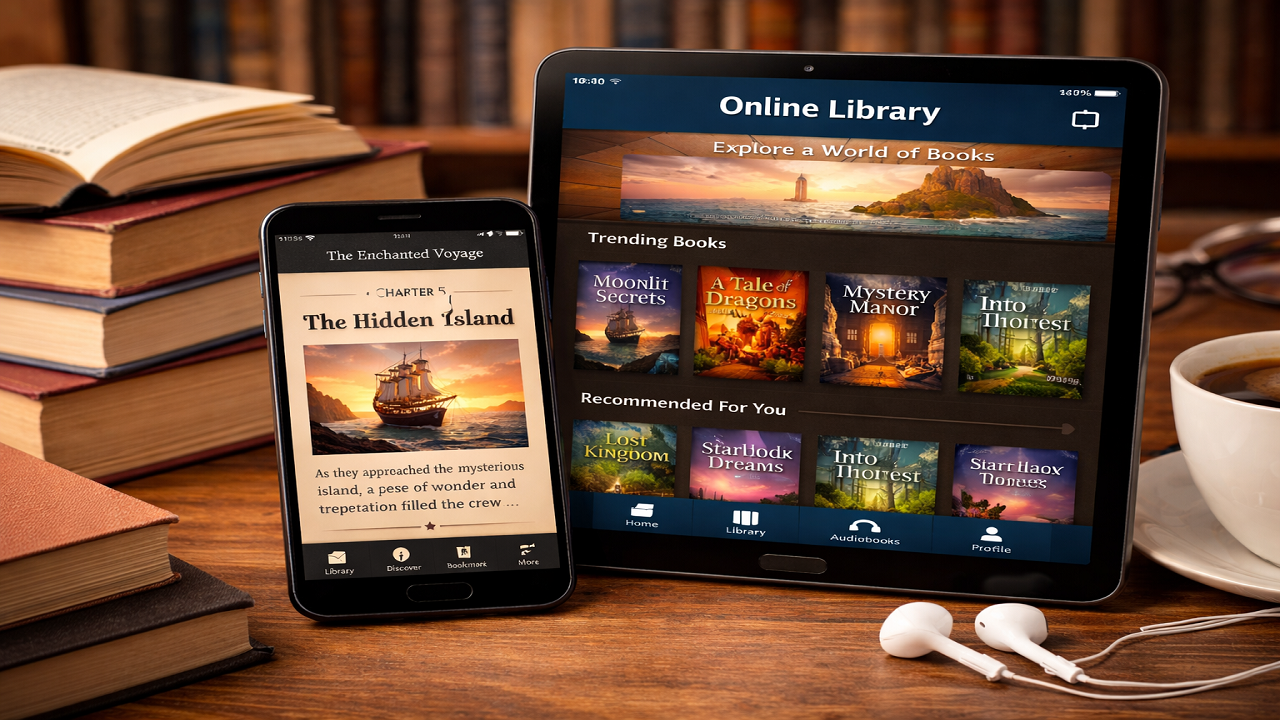
In today’s digital age, reading has transcended the boundaries of physical books. Mobile reading apps have revolutionized how we consume literature, offering instant access to millions of titles at our fingertips. Whether you’re a voracious reader, a casual browser, or someone looking to develop a reading habit, there’s an app tailored to your needs.
This comprehensive guide explores the top 15 mobile apps for online book reading, examining their unique features, benefits, and what makes each one stand out in the crowded digital reading marketplace.
Top 15 Mobile Apps for Online Book Reading
1. Kindle
Amazon’s Kindle app remains the gold standard for digital reading. With access to over 12 million titles, including books, magazines, newspapers, and comics, Kindle offers an unparalleled selection. The app syncs seamlessly across devices, allowing you to pick up exactly where you left off on any platform. Its Whispersync technology ensures your bookmarks, notes, and reading progress are always current. The adjustable fonts, customizable background colors, and built-in dictionary make reading comfortable and educational. Kindle Unlimited subscribers gain access to over two million titles for a monthly fee, making it incredibly cost-effective for heavy readers. The X-Ray feature provides instant access to character information and plot details, enhancing your reading comprehension.
2. Apple Books
For iOS users, Apple Books offers a beautifully designed, native reading experience. The app comes pre-installed on Apple devices and integrates smoothly with the Apple ecosystem. Its elegant interface features page-turning animations that mimic physical books, creating a tactile reading experience. Apple Books supports EPUB and PDF formats, offering more flexibility than some competitors. The Reading Goals feature helps you build consistent reading habits by tracking daily progress. The app’s audiobook integration allows seamless switching between reading and listening, perfect for multitaskers. Apple Books also curates expert recommendations and features exclusive releases, giving readers access to fresh content regularly.
3. Google Play Books
Google Play Books stands out for its versatility and cross-platform accessibility. Available on Android, iOS, and web browsers, it allows reading on virtually any device. The app supports both purchased books and uploaded PDFs and EPUBs, making it excellent for academic reading and personal document management. Google’s powerful search functionality lets you find specific passages across your entire library instantly. The night mode and adjustable typography ensure comfortable reading in any lighting condition. Family Library sharing allows up to six family members to share purchased books, making it economical for households. The audiobook collection is extensive, with many titles offering both text and audio versions.
4. Scribd
Often called “the Netflix of books,” Scribd operates on an unlimited subscription model that provides access to ebooks, audiobooks, magazines, and documents for one monthly fee. With over one million titles available, Scribd offers exceptional value for diverse readers. The app excels at personalized recommendations, learning your preferences and suggesting relevant content. Its offline reading capability ensures you’re never without something to read. Scribd’s inclusion of sheet music, research documents, and academic papers makes it valuable for students and professionals. The seamless transition between reading and listening to the same title accommodates different situations and preferences throughout your day.
5. Kobo
Kobo Books offers serious competition to Kindle with its extensive catalog and reader-friendly features. The app provides access to over six million titles and supports 14 file formats, including EPUB, making it highly versatile. Kobo’s Reading Life feature gamifies reading by awarding badges for achievements, encouraging consistent engagement with books. The statistics dashboard shows detailed reading analytics, including books finished, pages read, and time spent reading. Kobo’s partnership with public libraries through OverDrive integration allows borrowing ebooks directly through the app in many regions. The customization options are extensive, with numerous font choices, margin adjustments, and reading themes to personalize your experience.
6. Audible
While primarily known for audiobooks, Audible deserves mention for readers who prefer listening or want to complement their reading with audio. Owned by Amazon, Audible boasts the world’s largest selection of audiobooks, with over 500,000 titles. The app’s features include adjustable narration speed, sleep timer, and bookmarking capabilities. Audible Originals provide exclusive content unavailable elsewhere. The Whispersync for Voice feature syncs between Kindle ebooks and Audible audiobooks, allowing seamless switching between reading and listening. Professional narrators, often including the authors themselves or celebrity voices, bring stories to life in ways text alone cannot achieve.
7. Wattpad
Wattpad revolutionizes reading by focusing on user-generated content and community engagement. With over 90 million users worldwide, it’s a thriving platform where aspiring writers share stories and readers discover fresh voices. The app spans every genre imaginable, from romance and fantasy to science fiction and fan fiction. Wattpad’s interactive nature allows readers to comment on specific paragraphs, creating conversations between readers and writers. Many stories are serialized, with new chapters released regularly, building anticipation like traditional magazine serials. Several Wattpad stories have been adapted into published books, movies, and TV series, making it a launching pad for new talent.
8. Libby
Libby, developed by OverDrive, connects readers to their local library’s digital collection. This free app provides access to thousands of ebooks and audiobooks without any subscription fees, requiring only a library card. The interface is clean and intuitive, making borrowing digital books as simple as browsing physical library shelves. Libby’s notification system alerts you when holds become available and when loans are about to expire. The app supports simultaneous reading and listening for select titles that have both formats. Reading recommendations based on your borrowing history help discover new authors and genres. For budget-conscious readers, Libby is unbeatable, offering completely free access to vast collections.
9. Goodreads
While not primarily a reading app, Goodreads deserves inclusion for its integral role in the reading ecosystem. Owned by Amazon, Goodreads is the world’s largest social network for book lovers, with recommendations, reviews, and reading challenges. Users can track books they’ve read, want to read, and are currently reading. The app’s personalized recommendations are based on your ratings and reading history. Book club features facilitate group discussions, while author Q&A sessions provide direct interaction with writers. Integration with Kindle allows seamless sharing of reading progress and favorite quotes. The annual Reading Challenge motivates users to set and achieve reading goals.
10. Blinkist
Blinkist caters to readers seeking knowledge from nonfiction books but lacking time for full reads. The app condenses nonfiction bestsellers into 15-minute summaries called “Blinks,” covering key insights and takeaways. With over 5,000 titles spanning business, science, health, and personal development, Blinkist helps readers stay informed efficiently. Both text and audio formats accommodate different learning preferences and situations. The app’s curated collections organize books by themes like productivity, leadership, or mindfulness. While not replacing complete books, Blinkist helps readers decide which full books deserve their time and provides quick access to ideas from books they might never fully read.
11. Moon+ Reader
Moon+ Reader is a powerful Android app beloved by users who want extensive customization options. Supporting ten different ebook formats including EPUB, PDF, MOBI, and CHM, it handles virtually any digital book file. The app offers thousands of customization options for fonts, themes, controls, and layouts, allowing readers to create their perfect reading environment. Text-to-speech functionality converts ebooks into audiobooks using device voices. Advanced features include auto-scrolling, bookmarks management, and annotation capabilities. The built-in ebook library management system organizes large collections efficiently. While the interface might overwhelm new users, dedicated readers appreciate the granular control Moon+ Reader provides.
12. FBReader
FBReader (Favorite Book Reader) is an open-source, multi-platform reading app supporting numerous formats and languages. Its lightweight design ensures smooth performance even on older devices. The app synchronizes reading positions, bookmarks, and books across multiple devices through FBReader Book Network. Support for numerous ebook formats including EPUB, MOBI, FB2, and RTF makes it highly versatile. The network library feature provides access to free and commercial ebook catalogs directly within the app. Customizable tap zones allow personalized gesture controls for page turning and menu access. FBReader’s commitment to user privacy and open-source development appeals to readers concerned about data collection.
13. Hoopla
Hoopla, like Libby, connects to public library systems but offers additional content types including movies, music, and comics alongside ebooks and audiobooks. The instant borrowing feature eliminates wait times since Hoopla doesn’t use a limited-copy model. Each library sets monthly borrowing limits per user rather than limiting specific titles. The BingePass feature provides temporary unlimited access to specific content collections. Offline access ensures borrowed content remains available without internet connectivity. The diverse content makes Hoopla valuable for families with varied interests. For comic book enthusiasts and graphic novel fans, Hoopla’s extensive collection is particularly impressive.
14. Project Gutenberg
For lovers of classic literature, Project Gutenberg offers over 70,000 free ebooks whose copyrights have expired. This includes works by Shakespeare, Jane Austen, Mark Twain, and countless other literary giants. Multiple reading apps can access Project Gutenberg’s library, but several unofficial apps specifically curate this collection with enhanced reading features. The completely free and legal access to humanity’s literary heritage makes Project Gutenberg invaluable for students, educators, and classic literature enthusiasts. While the selection doesn’t include contemporary bestsellers, the quality and historical significance of available works are unmatched. Various formats ensure compatibility with any reading device or app.
15. PocketBook Reader
PocketBook Reader combines extensive format support with social reading features and cloud integration. The app reads 26 different file formats without conversion, making it one of the most versatile readers available. Integration with popular cloud services like Dropbox, Google Drive, and OneDrive allows easy access to your book collection from anywhere. The text-to-speech function with adjustable speed and voice selection turns any text into audiobooks. Advanced typography options include adjustment of fonts, line spacing, margins, and paragraph indentation. The app’s support for Adobe DRM-protected books expands your purchasing options beyond proprietary stores. Reading statistics and achievements motivate consistent reading habits.
Conclusion
The digital reading landscape offers extraordinary diversity, ensuring every reader can find an app matching their preferences, budget, and reading style. Whether you prioritize the vast selection of Kindle, the library integration of Libby, the community aspects of Wattpad, or the customization of Moon+ Reader, there’s a perfect solution for your reading needs. Many readers use multiple apps simultaneously, leveraging each app’s strengths for different reading situations. The free options like Libby and Project Gutenberg prove that budget constraints needn’t limit access to quality reading material, while subscription services like Scribd and Kindle Unlimited offer unlimited reading for predictable monthly costs.
As technology evolves, these apps continue improving with features like enhanced accessibility options, better synchronization, and smarter recommendations. The future of reading is undoubtedly digital, and these apps are leading the transformation while making reading more accessible, affordable, and enjoyable than ever before.
Frequently Asked Questions About Mobile Reading Apps
1. Are free reading apps as good as paid ones?
Absolutely! Many free reading apps offer exceptional quality and extensive content libraries. Apps like Libby and Hoopla provide completely free access to thousands of ebooks and audiobooks through your local library system, with no subscription fees required. Project Gutenberg offers over 70,000 classic literary works at no cost. Even apps like Kindle, Google Play Books, and Apple Books can be used entirely for free by reading free titles, samples, and public domain books. The main difference is that paid subscriptions like Kindle Unlimited or Scribd provide unlimited access to larger catalogs of contemporary titles, while free apps may have more limited selections or require individual purchases for newer bestsellers. For many readers, combining free library apps with occasional purchases provides the perfect balance.
2. Can I read the same book across different devices?
Yes, most major reading apps offer cross-device synchronization that allows you to seamlessly continue reading on different devices. Apps like Kindle, Google Play Books, Apple Books, Kobo, and Scribd automatically sync your reading progress, bookmarks, highlights, and notes across smartphones, tablets, computers, and dedicated e-readers. This means you can start reading on your phone during your commute, continue on your tablet at home, and pick up exactly where you left off on your laptop at work. The synchronization typically happens automatically when your devices are connected to the internet. This feature is particularly valuable for readers who switch between devices throughout the day or prefer different devices for different reading situations.
3. Do reading apps work offline without internet connection?
Yes, virtually all reading apps allow offline reading once you’ve downloaded books to your device. Apps like Kindle, Apple Books, Google Play Books, Kobo, Scribd, and Libby let you download titles for offline access, which is essential for reading during flights, commutes through areas with poor connectivity, or when trying to conserve mobile data. You’ll need an internet connection initially to download the books, and some apps require periodic online check-ins to verify library loans or subscriptions, but the actual reading experience doesn’t require connectivity. Most apps allow you to control which books are stored on your device to manage storage space. This offline functionality ensures you always have your reading material available regardless of internet availability.
4. Are my eyes safer reading on apps compared to physical books?
Digital reading apps offer several features that can actually reduce eye strain compared to physical books in certain conditions. Most apps include adjustable brightness, night mode or dark themes that reduce blue light exposure, customizable font sizes for easier reading, and background color options to optimize contrast. These features allow you to adapt the reading experience to different lighting conditions and personal comfort levels. However, prolonged screen time can cause digital eye strain, so it’s important to take regular breaks, adjust screen brightness appropriately, and use blue light filters especially before bedtime. Many apps now include sepia or warm-toned reading modes specifically designed to reduce eye fatigue. The key is finding the right settings for your eyes and reading environment, which digital apps allow you to customize far more than physical books.
5. Can I share books with family members or friends?
Sharing capabilities vary significantly between reading apps and are subject to copyright and licensing restrictions. Apple Books offers Family Library Sharing, allowing up to six family members to share purchased books. Google Play Books has a similar Family Library feature. Amazon’s Kindle allows you to share books with one other adult and up to four children in your Amazon Household. However, not all books are eligible for sharing due to publisher restrictions. Apps like Scribd allow multiple devices to access the same account simultaneously. Library apps like Libby technically allow sharing through the library’s lending system, though each loan is individual. It’s important to note that sharing ebook files directly outside of these official sharing features typically violates terms of service and copyright laws. For book recommendations and discussions, apps like Goodreads provide social features without actual book sharing.

Leave a Reply